

POS terminals
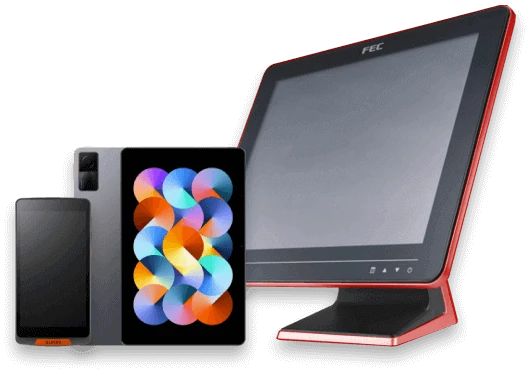
Choose all-in-one, tablet, or dual-display formats to fit the counter.
PRODUCTS / STORE HARDWARE
Configure POS terminals, printers, scanners, drawers, and accessories around the actual workflow.
Discuss implementation
Overview
Review space, checkout method, network, ports, receipts, barcodes, and cash handling before selecting hardware. Scope can include cabling, installation, setup, and workflow validation.
Core capabilities
Choose all-in-one, tablet, or dual-display formats to fit the counter.
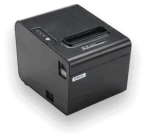
Select printers by speed, paper width, connectivity, and kitchen use.
Plan 1D/2D scanning and payment terminal placement around the transaction flow.
Validate cash drawer, customer display, scale, and KDS integration requirements.
Where it fits
Implementation approach
We review the site and existing systems, then introduce an operable scope in practical stages.
Review workflows, devices, network, data, and customer flow
Define features, products, integrations, and delivery scope
Install, configure, train, and validate in real operations
Use operating feedback and data to refine and expand
Tell us your store format, location count, existing equipment, and current challenges. We can start by structuring the requirements.